

Every developer who uses an AI coding agent knows the rhythm. The agent proposes a shell command. You glance at it. You approve it. Then it asks again, and again, until you pick the option that makes it stop asking.
That last click is where the trouble starts.
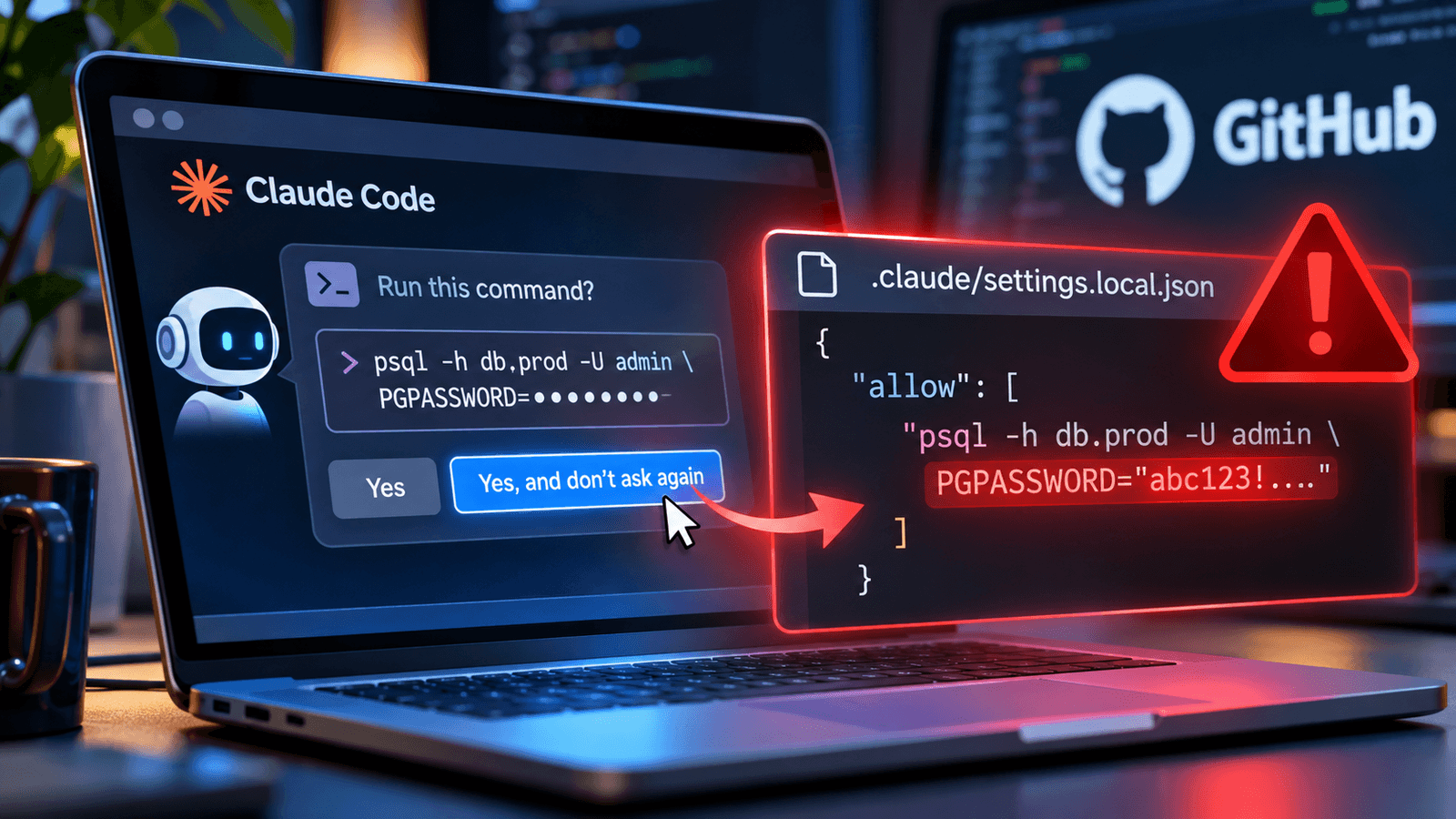
Research published on November 5 by Apiiro’s Shmulik Cohen and Matan Giladi shows that when a developer picks “Yes, and don’t ask again” in Claude Code, the tool saves the approved command as an allow rule in a project file named .claude/settings.local.json. It saves the whole command, word for word. If that command had a database password, an API key, or an authorization header typed into it, the secret is now sitting in a config file inside the repo.
Apiiro looked at 104,185 public copies of that file across 103,617 GitHub repositories. It found real secrets in 1,122 of them, about 1.1%. Those files held 1,379 distinct credentials: 636 provider-format keys and 743 passwords or tokens for public hosts. The list includes 379 database passwords, 122 Supabase service-role keys, 103 Supabase account tokens and 43 SSH credentials.
When the researchers widened the search to Git history, shared settings files and saved agent transcripts, the count rose to 2,539 distinct secrets across 1,994 repositories.
Why “Local” Didn’t Mean Local
Claude Code does try to keep this file out of Git. According to Anthropic’s documentation, the first time Claude Code writes the file in a repository that doesn’t already ignore it, it adds an entry to the developer’s global Git excludes file.
That helps on one machine. It doesn’t travel with the project. A teammate who clones the repo doesn’t get that exclusion. And Git’s own documentation is clear that ignore rules don’t apply to files that are already tracked. Once the file is committed, it stays committed until someone removes it on purpose.
“Local” describes how Claude Code uses the file. It says nothing about whether Git tracks it.
Apiiro also traced commits that changed the settings file and found Claude-coauthored commits in 539 of 1,105 repositories. That doesn’t prove the agent pushed every exposed credential.
“Every ‘don’t ask again’ click writes a security policy, and Claude Code saves it as the raw command with any secrets typed into it,” said Mitch Ashley, CTO, Tech Buyers & Software Lifecycle Engineering at The Futurum Group. “Developers clicking to get unblocked are writing policy they never see, and agent-assisted commits sweep it into the repo.”
The Scanners Missed a Lot
Of the 1,122 affected files, Gitleaks flagged 564, and TruffleHog flagged 643. Neither tool flagged 215 of them, roughly one in five. The misses included passwords that follow PGPASSWORD=, sit after sshpass -p, or hide in a request header. Those are the strings that show up in commands a developer approves in a hurry.
“Scanners missed roughly one in five of these files because they look for provider key patterns, not passwords buried in shell commands,” Ashley said. “Secret detection has to run when the agent writes the file. Watch whether agent vendors redact secrets before saving an allow rule.”
The shared .claude/settings.json file, which teams commit on purpose, had the same problem on a smaller scale. Apiiro found secrets in 298 of 76,011 public copies, mostly inside allow rules.
And deleting the file now doesn’t undo the exposure. Historical versions contained 734 secrets that no longer appear in the current copies. Forks copied credentials from 74 repositories into 211 more places. Apiiro notified affected organizations on November 2 and 3. It didn’t test whether the credentials still worked, but one company confirmed its exposed key had been live.
This Isn’t a New Warning
The mechanism has been reported before. A Claude Code bug report filed on August 11, 2025, described approved commands with API keys and tokens being stored verbatim in the local settings file. That issue was closed automatically in January 2026 after a period of inactivity.
In April, Check Point researchers found the same file inside public npm packages. Of about 46,500 packages they monitored, 428 contained the file, and 33 of those files across 30 packages held credentials. Different channel, same root cause.
Teams spent years building habits and tooling around .env files. AI coding agents are now writing new files to disk that hold the same kind of data, and those files don’t yet get the same treatment.
What to Do Now
The fixes are not complicated. The order matters.
- Rotate first. Treat any credential that appeared in these files as compromised. Revoke or rotate it before cleaning up Git history.
- Search everywhere. Look across your GitHub organization for .claude/settings.local.json and .claude/settings.json, and check history, forks and committed agent transcripts, not just the current tree.
- Untrack the local file. Run git rm –cached .claude/settings.local.json and add the path to each repository’s own .gitignore. Add it to your org’s .gitignore templates, too.
- Keep literals out of commands. Pull secrets from a secrets manager or runtime variable reference. An inline variable assignment still puts the password in the command text.
- Keep standing approvals narrow. After approving a command permanently, check what the agent actually saved.
Coding agents earn their keep by removing friction. But every prompt they skip is a decision someone made once and stopped thinking about. Platform teams that treat agent config files as part of the attack surface, and scan for them the way they scan for .env files, will close this gap. The ones that don’t will keep finding their passwords on GitHub.

Frequently Asked Questions
1. How does Claude Code's 'don't ask again' feature expose developer credentials?
2. How widespread are the Claude Code credential exposures?
3. How can DevSecOps teams prevent AI coding agents from leaking secrets?

Tom Smith (C. Thomas Smith III) is a veteran digital analyst and content strategist who spent more than four years as a Research Analyst at DZone.com (part of Devada), where he conducted thousands of interviews with technology executives and authored roughly 1,500 articles that generated more than 10 million page views across topics including AI/ML, Agile, APIs, cloud computing, DevOps, IoT, Java, Kubernetes, microservices, and security. He holds an MBA in Marketing from Duke University's Fuqua School of Business and a B.A. in Political Science from Duke. Smith later worked as a content strategist and technical writer at Cognizant, including stints on Google's Bard (now Gemini) and Meta's AI Business Assistant (MAIBA) "seed" content teams, where he helped train and evaluate large language models. Over his career, he has interviewed more than 4,000 technology executives across AI, cloud, data, security, and storage sectors. He now writes independently through Insights From Analytics and is a contributing writer across multiple Techstrong Group properties, including DevOps.com, Digital CxO, Cloud Native Now, PlatformEngineering.com, and Techstrong.ai, where he covers AI agents, enterprise AI infrastructure, and emerging developer tools.