

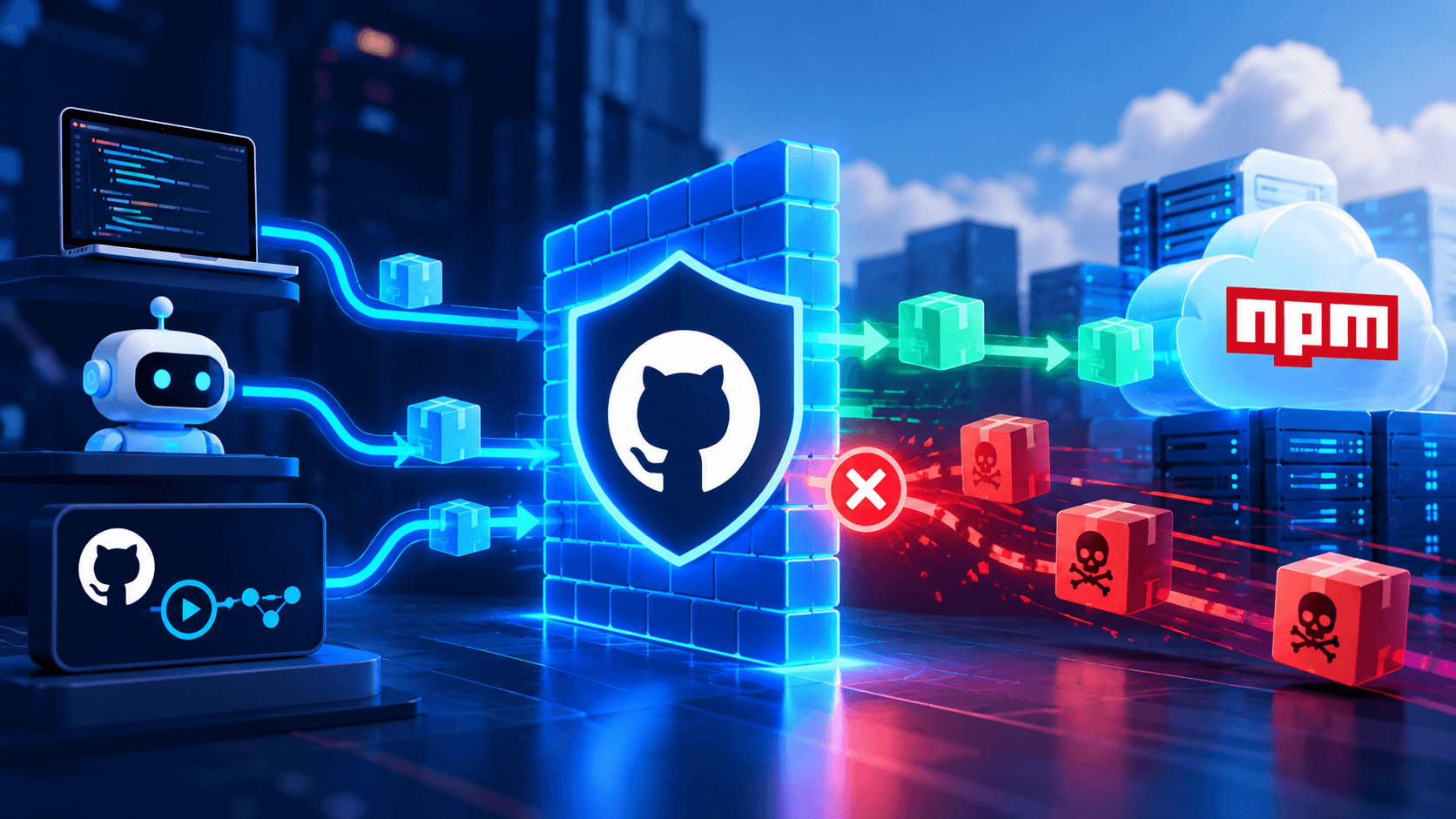
GitHub has launched a package firewall in public preview. It targets a problem that has hit npm users repeatedly this year: malware that steals credentials as soon as a package is installed.
The firewall sits between endpoints and upstream package registries. Those endpoints include GitHub Actions runners, AI coding agents, and developer workstations. Every metadata request and package download passes through it. If a package fails the policy, the firewall blocks it.
The preview is open to all GitHub Enterprise Cloud customers, including those using data residency. It’s free during the preview. At general availability, GitHub plans to charge based on metered usage, similar to how Actions is billed. For now, it only supports npm.
Why Install Time Matters
Attackers have been doing their best work during install time. In many recent incidents, the package’s code never ran. A preinstall or postinstall script did the damage before tests or scanners got a look.
The pattern held all year. The Axios compromise in March used a postinstall script to drop a remote access trojan. Attacks on SAP packages in April and on the @redhat-cloud-services namespace in June relied on preinstall hooks. Microsoft tracked campaigns built to harvest AWS, HashiCorp Vault, GitHub Actions, and npm credentials from CI hosts. And in August, researchers disclosed a worm that hit more than 400 npm packages and hunted for credentials on developer machines and CI runners.
GitHub has already taken one big step. npm v12, released in July, turned off dependency lifecycle scripts by default. But that only helps teams running npm v12. Some attackers have also shifted tactics. GitGuardian documented a case where later malicious versions dropped the install hook and ran on import instead, so ignoring scripts no longer helped.
The firewall adds a control point that doesn’t depend on every client being configured correctly.
“Install time is where these attacks land now, so the control belongs in the request path,” said Mitch Ashley, vice president and practice lead for CIO & Technology Buyers and Software Lifecycle Engineering at The Futurum Group. “Coding agents install whatever release a task asks for, however recent. A registry-boundary policy is a check they cannot skip.”
What the Policies Do
Enterprise administrators and security managers set policies once, at the enterprise level. They apply to every request routed through the firewall. GitHub’s documentation lists five controls:
Block known malware. Checks the GitHub Advisory Database for active malware advisories. On by default.
Block vulnerability advisories. Blocks versions with known vulnerabilities at a severity you choose. The default is critical only.
Block attestation downgrades. If earlier versions carried SLSA attestations and the requested version doesn’t, it’s blocked. A missing attestation can signal a compromised publishing process. On by default.
Block newly introduced install scripts. Catches packages that recently added preinstall or postinstall scripts. On by default.
Minimum package age. A cooldown that blocks versions newer than a set age (1 to 365 days). The default is one day.
The cooldown is the simplest control, and it may be the most useful. Most malicious npm versions are caught and pulled fast. The bad Axios versions were live for about three hours. Datadog Security Labs argues that even a one-day cooldown would have blocked that attack.
Cooldowns aren’t perfect. Datadog notes that patient attackers can delay execution to outlast the window.
The attestation check deserves a caveat, too. It catches a package that suddenly stops shipping provenance. It won’t catch a hijacked pipeline that signs the malware honestly. That happened in the AsyncAPI attack in July, when the project’s own CI built and signed the malicious version.
Setup and Exceptions
Teams point npm at an enterprise-specific firewall URL in their user-level .npmrc file. Each request needs a token tied to an enterprise member, and that token only needs read-only access to public repositories. GitHub also offers experimental support for JFrog Artifactory, so teams can keep their existing mix of public and private packages.
A new version with an urgent security fix could get caught by the cooldown. When that happens, the npm output or CI log includes a link to request an exception. Admins can approve a single version or all versions of a package, and remove exceptions later.
What It Means for DevOps Teams
The firewall moves dependency policy out of individual projects and into one central place. That matters more as agents install packages on their own, with no one stopping to ask why a release is two hours old.
There are limits. It’s npm only. Any runner or laptop still talking directly to the public registry is outside its reach, and Artifactory users will need to remove direct public npm remotes. Ashley sees two things to watch.
“The firewall only protects traffic routed through it, so teams should block direct access to the public registry at the network layer,” he said. “Watch usage-based pricing at general availability, because a metered bill gives teams a reason to route less traffic through it.”
Still, it’s a sensible next step. GitHub has spent the year tightening npm, from disabling install scripts by default to pushing trusted and staged publishing. The package firewall extends that work to the point where packages enter your environment. For Enterprise Cloud customers, the free preview is a low-risk way to find out what a one-day cooldown would actually catch.

Frequently Asked Questions
1. What is GitHub's package firewall?
2. How does the package firewall help prevent npm supply chain attacks?
3. Is GitHub's package firewall free, and who can use it?

Tom Smith (C. Thomas Smith III) is a veteran digital analyst and content strategist who spent more than four years as a Research Analyst at DZone.com (part of Devada), where he conducted thousands of interviews with technology executives and authored roughly 1,500 articles that generated more than 10 million page views across topics including AI/ML, Agile, APIs, cloud computing, DevOps, IoT, Java, Kubernetes, microservices, and security. He holds an MBA in Marketing from Duke University's Fuqua School of Business and a B.A. in Political Science from Duke. Smith later worked as a content strategist and technical writer at Cognizant, including stints on Google's Bard (now Gemini) and Meta's AI Business Assistant (MAIBA) "seed" content teams, where he helped train and evaluate large language models. Over his career, he has interviewed more than 4,000 technology executives across AI, cloud, data, security, and storage sectors. He now writes independently through Insights From Analytics and is a contributing writer across multiple Techstrong Group properties, including devopsy.kinsta.cloud, Digital CxO, Cloud Native Now, PlatformEngineering.com, and Techstrong.ai, where he covers AI agents, enterprise AI infrastructure, and emerging developer tools.